發(fā)布時間:2019/08/14 14:27:45
Seagull License Server (SLS) 是一種于監(jiān)控和強制限制網(wǎng)絡(luò)中允許 BarTender 使用的打印機數(shù)量的軟件實用工具。有不少用戶在實際使用BarTender 打印時,會出現(xiàn)“BarTender無法在網(wǎng)絡(luò)上找到Seagull License Server”這樣的 #1402錯誤。這個問題專業(yè)性很強,小編專門請教了懂行的技術(shù)人員,在此為大家講解BarTender錯誤消息#1402問題的解決方法。
Seagull License Server是所購買的自動化版或企業(yè)自動化版的必要組件。對于基礎(chǔ)版和專業(yè)版,或者在30天試用模式下使用BarTender的情況,此軟件不是必要組件,而且也不受支持。
如果您在使用BarTender打印時發(fā)生BarTender無法在網(wǎng)絡(luò)上找到Seagull License Server的情況,麻煩您查看以下的項目:
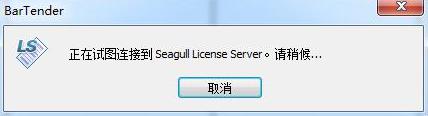
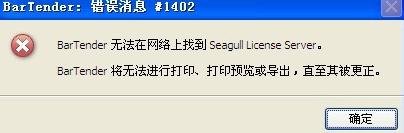
1、Seagull License Server已正確啟用并且和Bartender啟用同一個PKC;
2、Seagull License Server和Bartender用同一個版本和建立(可由說明-> 關(guān)于來檢查);
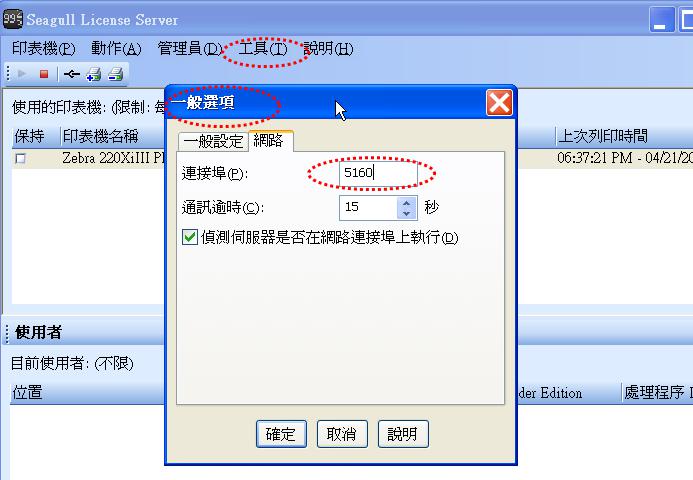
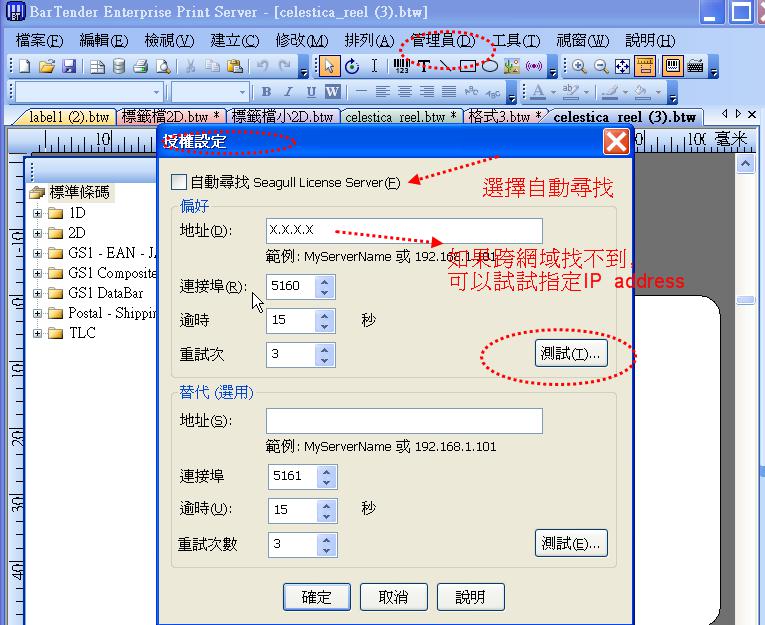
3、打開Seagull License Server 到工具>一般選項>網(wǎng)絡(luò),請查看連接埠,也請打開BarTender,,到工具>一般選項>授權(quán)管理(或管理員-> 授權(quán)設(shè)定,界面會因為Bartender版本不同而有些微差距);確認他的連接埠是一樣的;如果是用IP的方式去連接Seagull License Server,請在地址上輸入安裝了Seagull License Server的計算機的IP;
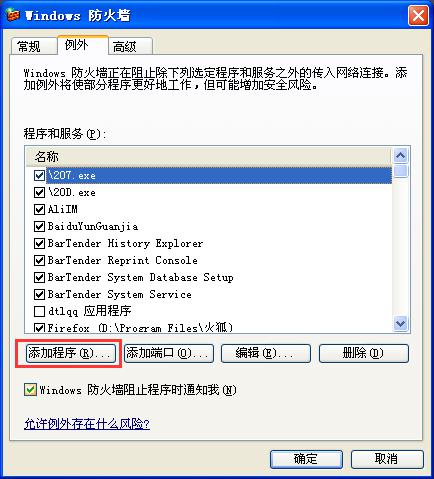
4、如果是使用Windows XP SP2系統(tǒng)的計算機安裝的Seagull License Server, 請做以下的設(shè)定:點擊計算機控制面板>安全中心>防火墻>例外,新增程序sls.exe 與 slssrv.exe 以及bartend.exe ;
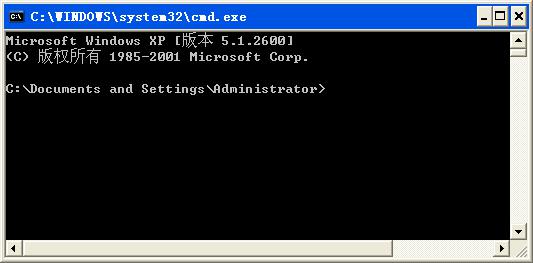
5、在正確安裝了Bartender的計算機上,開始>運行>輸入cmd>Enter鍵,然后在comand prompt 里輸入>tracert 142.176.157.128(IP address of License server)可以檢查License server 和Bartender之間的network segmen;
6、請與貴公司的網(wǎng)管人員確認UDP broadcast的功能是否已啟用。
以上就是解決“BarTender無法在網(wǎng)絡(luò)上找到Seagull License Server ”的方法,想要了解更多關(guān)于BarTender打印的詳細信息,可點擊BarTender教程服務(wù)中心查找你想要的內(nèi)容。
展開閱讀全文
︾
?



 ?
?
 ?
?
 正版行貨·質(zhì)量保證
 便捷支付·閃電發(fā)貨
 售后無憂·服務(wù)保障